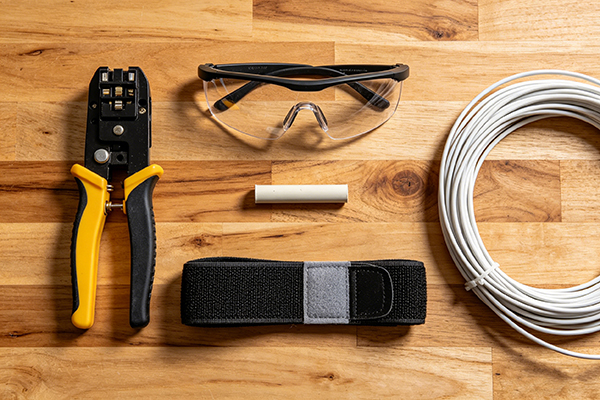
Wired or Wireless: Is Running Cable Still Worth It Today?
Convenience drives a lot of the choices we make at home and at work. We want things to come on fast, connect easily, and keep running without fuss. That is exactly why the old wired-versus-wireless network question still comes up.
People do not really care about the theory as much as they care about what works, what is stable, and what saves time. So the real question is simple: Is wiring your network worth it? In practice, the answer is usually yes for some devices and no for others. That is the part people miss. It is not a fight where one side wins and the other disappears. Most good networks use both.
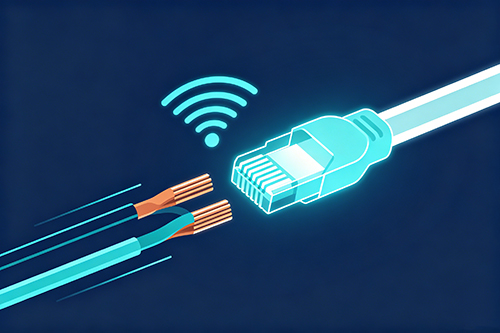
Ethernet Cable Network Connectivity
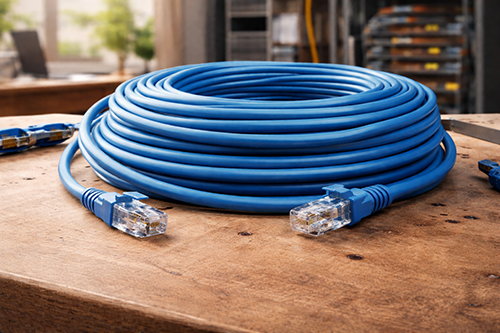
Ethernet cable is the old, reliable choice. If you have ever plugged a computer into a router and had the connection just work, that was the whole point of wired networking. It is still the first choice when you want steady performance with very little drama.
The biggest strength of Ethernet is stability. A physical cable is not bothered much by the same things that can trip up wireless connections. Walls, microwaves, cordless phones, thick concrete, and metal framing do not get in the way nearly as much. If the cable is good and the ends are solid, the connection tends to stay solid too.
Speed is another reason people still run cable. In most real-world setups, wired internet is faster than Wi-Fi for raw throughput, but what people notice more is latency. Latency is the small delay between sending data and getting a response back. For gaming, video calls, workstation use, backups, and anything sensitive to lag, that delay matters more than the headline speed number.
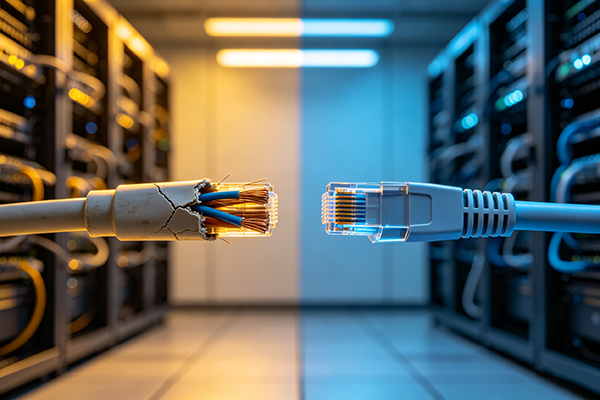
Troubleshooting is easier, too. If a wired connection starts acting up, you usually have a short list: the cable, the port, or the device itself. A common mistake is wasting time blaming the internet service when the problem is just a cheap patch lead with a bent connector or a damaged clip. Swapping the cable often clears the issue in minutes.
Ethernet also brings security benefits. If a device is connected by cable, someone has to physically get to that cable or port to intercept it. That is not impossible, but it is a lot harder than sniffing traffic out of the air.
There is another practical advantage people forget: power over Ethernet. That lets one cable carry both data and power. It is very handy for security cameras, wireless access points, and some small office equipment. Instead of finding a power outlet in the right place, you can mount the device where it makes sense and feed it through the cable.
Of course, Ethernet is not perfect. Running cable can be a pain. In a finished house, it may mean drilling, fishing through walls, or crawling through a hot attic. In an office, it can mean planning around ceiling space, wall construction, and fire-rated cable requirements. If the route is awkward, the labor can cost more than the cable itself. That is where people start looking for wireless because it feels easier.
Wi-Fi Network Connectivity
Wi-Fi is popular for a reason. It removes the cable clutter and gets devices online without a physical tether. For phones, tablets, laptops, smart TVs, and guest devices, that convenience is hard to beat. It is also cheaper to deploy in many cases, especially when you are covering a larger space or do not want to open walls.
A single wireless access point can cover a decent area if the layout is friendly. That makes Wi-Fi a good fit where mobility matters. People want to move around with a laptop, sit on the patio, or use a device in a room where cable would be awkward. That said, wireless has limits, and those limits show up fast when the network gets busy or the building is not friendly to radio signals.
Wi-Fi is more exposed to interference. It has to compete with other wireless devices and nearby networks. It also has to push through whatever is in the way. Drywall is usually fine. Metal stud walls, block walls, mirrored surfaces, and thick floors can be a real headache.
A lot of people think their router is "bad" when the real problem is just poor placement or a building that is not helping the signal. Speed is also more variable than people expect. A Wi-Fi connection may look fast on paper, but the actual experience can change from room to room and minute to minute. If several devices are active at once, or the signal is weak, speeds can drop to keep the connection alive. That is normal wireless behavior, but it can be frustrating when you are trying to do something important.
Latency is usually worse on Wi-Fi too. For a web page or email, that may not matter much. For online gaming, remote desktop work, or live video production, it often does. A few extra milliseconds may not sound like much, but they add up when the connection has to fight through interference and retransmissions.
Security is another area where wireless needs attention. Anything sent through the air is more exposed than a cable run inside a wall or ceiling. That does not mean Wi-Fi is unsafe by default. It means it needs to be set up properly. Weak passwords, old encryption, and sloppy guest access are the usual problems, not the radio technology itself.
Wi-Fi also cannot deliver power. It can move data, but not power over the same link. So even if a device can connect wirelessly, it may still need a separate power lead or battery. That matters more than people think when you are setting up cameras, access points, or mounted equipment.
Is Wireless Going to Replace Wired Technology?
Not completely, and probably not anytime soon. That is the practical answer. Wireless has become better and more flexible, but it still depends on wired infrastructure somewhere behind the scenes. Access points, switches, routers, and network backbones still need cable runs. Even a "wireless" network usually has Ethernet hiding underneath it. And there are plenty of use cases where cable still makes better sense.
If you need maximum stability, Ethernet wins. If you need low lag, Ethernet wins again. If you need to power a device and move data at the same time, Ethernet wins by a mile. Wi-Fi is what you use when mobility matters more than absolute performance. That is the cleanest way to think about it. The two systems work best when they support each other instead of trying to compete.
Best Practices and Rules of Thumb
A good network usually follows a few plain rules. If a device needs dependable speed, wire it. That includes desktop computers, gaming consoles, security cameras, storage devices, and anything used for video streaming where dropped packets or lag are annoying. If the connection is sensitive to delay, wire it. You will feel the difference more than you will see it on a speed test. If you cannot realistically run cable, then place the wireless router or access point as close as practical to the device.
Distance and walls matter. A router in the basement with the important devices upstairs is a common setup, and it is often a poor one. Put wireless access points in sensible locations. Central placement usually works better than tucking one in a corner because it is near the modem. Height helps too, as long as the unit is not boxed in by metal or furniture. Do not overload Wi-Fi with devices that really should be wired. A printer, desktop, smart television, and game console all fighting over the same wireless network is asking for trouble when a few cable runs would make life easier.
Keep security basic but solid. Use proper encryption, a strong password, and separate guest access if you need it. Most home and small office problems come from weak settings, not from some deep technical flaw. And be realistic about installation. Sometimes the right answer is a short Ethernet run to a wireless access point or a single hard-wired line to one important device. That is often the sweet spot. You get the stability of cable where it matters and the freedom of wireless where it helps.
Conclusion
If you want the simplest answer, here it is: wire the devices that matter most, and use Wi-Fi where convenience matters most. Ethernet is still the better choice for speed, latency, stability, and power delivery. Wi-Fi is still the better choice for mobility and easy access. Most people do not need one or the other. They need both, used in the right places. That is usually the real win. Less hassle, fewer dropouts, and a network that quietly does its job. For cable, connectors, and other network hardware, Stanford Optics can be a practical material supplier to check when you are putting the job together.